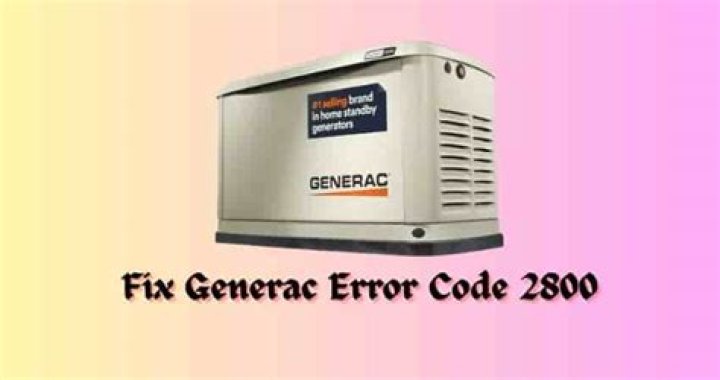
What is Generac error code 2800?
Generac error code 2800 serves as an indicator that the Auxiliary Shutdown Switch, an essential component of the generator's functionality, is in the OPEN position. This switch plays a critical role in preventing the generator from starting and ensures the safety of the system. When the switch is in the OPEN position, it triggers the error code 2800, signaling the need for corrective action.
To resolve this error, the first step is to locate the Auxiliary Shutdown Switch. In most cases, you can find this switch on the back of the generator. However, it may also be situated inside the generator, close to the control panel interface. It is important to identify the precise location of the switch to proceed with the troubleshooting process effectively.
Once the Auxiliary Shutdown Switch is located, the next step is to set it to the CLOSED position. This adjustment is crucial to allow the generator to start and operate as intended. By flipping the switch to the CLOSED position, you effectively remove the obstacle that was impeding the generator's functionality.
It's worth noting that in certain generator models with higher capacity (16 kW or more), there might be an additional Auxiliary Shutdown Switch on the inside of the generator. While this switch is less likely to be accidentally flipped, it is still necessary to verify its position and ensure it aligns with the CLOSED symbol.
After successfully setting the Auxiliary Shutdown Switch(es) to the CLOSED position, the final step involves clearing the error code from the Control Panel. The Control Panel interface provides the necessary prompts to remove the alarm or error message associated with code 2800. Following the instructions displayed on the Control Panel, users can navigate through the process and clear the error.
How to Fix Generac error code 2800?
Step 1: Locate the Auxiliary Shutdown Switch on the Back of the Generator
The first step in resolving Generac Error Code 2800 is to find the Auxiliary Shutdown Switch on the back of your generator. This switch is responsible for triggering the error code when it is in the OPEN (O symbol) position. On most Generac generator models, you can find the Auxiliary Shutdown Switch in the upper-left corner of the generator's back. It's essential to identify this switch to proceed with the troubleshooting process.
Step 2: Set the Auxiliary Shutdown Switch to the CLOSED (| symbol) Position
To fix the error code, you need to set the Auxiliary Shutdown Switch to the CLOSED (| symbol) position. If the switch is in the OPEN (O symbol) position, it prevents the generator from starting and triggers the error code. Depress the CLOSED (| symbol) side of the switch to ensure it is fully set to the closed position. This adjustment will rectify the error and allow the generator to operate smoothly.
Step 3: Check the Auxiliary Shutdown Switch on the Inside of the Generator (If Applicable)
For Generac generators with a capacity of 16 kW or more, there might be an additional Auxiliary Shutdown Switch located inside the generator, close to the control panel interface. It is essential to check this switch as well, although it is less likely to be accidentally flipped. Make sure to open the generator's lid and inspect the internal switch. Ensure it is in the correct position, aligned with the CLOSED (| symbol).
Step 4: Clear the Generac Error Code 2800 from the Control Panel
Once the Auxiliary Shutdown Switches are set correctly, you need to clear the error code from the control panel. The control panel interface will prompt you to remove the alarm or error message after confirming that both auxiliary shutdown switches are properly depressed in the CLOSED (| symbol) position. Press the red "OFF" button on the control panel, followed by the grey "ENTER" button to clear the error. To restore the generator's automatic functionality, press the green "AUTO" button.
(Optional) Step 5: Run the Generator in Manual Mode
After resolving the error code, it can be beneficial to run the generator in manual mode for a short duration. This step allows you to ensure that the generator starts up smoothly and operates without any issues. Press the blue "MANUAL" button on the control panel to initiate manual operation. Observe if the generator starts and runs properly for a few minutes.
(Optional) Step 6: Return the Generator to Auto Operation
If the generator performs well in manual mode, you can switch it back to automatic operation by pressing the green "AUTO" button on the control panel. This will restore the generator's fully automatic system, allowing it to start and operate based on the programmed settings and exercise timer.
About Generac
Generac, an esteemed American company, specializes in the production of backup power generation products for various markets, including residential, light commercial, and industrial sectors. With a diverse range of offerings, Generac has established itself as a leading manufacturer in the industry.
The product portfolio of Generac encompasses a wide array of power generation equipment designed to meet the specific needs of customers. These offerings include gasoline-fueled, diesel-fueled, and bi-fuel engine-driven power generation systems. By providing versatile options, Generac ensures that customers have reliable backup power solutions regardless of their preferred fuel source.
In addition to power generation equipment, Generac manufactures other essential components for comprehensive backup power systems. This includes modular paralleling systems that enable seamless integration and synchronization of multiple generators, ensuring efficient and scalable power generation capabilities. Moreover, Generac offers automatic transfer switches that facilitate smooth transitions between the utility power supply and backup power during outages.
One notable aspect of Generac's commitment to innovation is its focus on sustainable and cleaner energy solutions. Recognizing the growing importance of environmentally friendly products, Generac actively develops and offers advanced power grid software solutions. These software solutions contribute to optimizing energy management and promoting more efficient electricity usage.
Generac also extends its expertise to cater to the evolving energy landscape. The company provides backup and prime power systems suitable for both residential and industrial applications.
Furthermore, Generac offers solar + battery storage solutions, enabling customers to harness renewable energy sources and store it for future use. This integration of solar power and battery technology offers greater energy independence and contributes to reducing reliance on traditional power sources.
Acknowledging the emerging trend of virtual power plants, Generac offers platforms that facilitate the management and aggregation of distributed energy resources. These virtual power plant platforms empower users to leverage decentralized energy generation and storage capacities for enhanced grid resilience and flexibility.
Furthermore, Generac's dedication to providing reliable power extends beyond backup systems. The company manufactures engine- and battery-powered tools and equipment, offering a comprehensive range of solutions for various applications. These tools and equipment, powered by Generac's dependable engines and batteries, ensure reliable performance and efficiency across different industries.
With its wide-ranging product offerings and a commitment to cleaner and sustainable energy solutions, Generac continues to be a trusted name in the power generation industry. By providing innovative and reliable solutions, Generac empowers customers to secure uninterrupted power supply, adapt to changing energy landscapes, and contribute to a more sustainable future.
Generac Error Code 2800-FAQs
1. What does Generac error code 2800 indicate?Generac error code 2800 indicates that the Auxiliary Shutdown Switch is in the OPEN position, preventing the generator from starting.
2. How can I fix Generac error code 2800?To fix error code 2800, you need to set the Auxiliary Shutdown Switch to the CLOSED position. Locate the switch on the back of the generator or inside it, if applicable. Flip the switch to the CLOSED position and clear the error code from the Control Panel.
3. Why is it important to fix error code 2800?Fixing error code 2800 is crucial because the Auxiliary Shutdown Switch being in the OPEN position prevents the generator from starting. By setting the switch to the CLOSED position, you ensure the proper functioning of the generator.
4. Are there any additional steps to consider when fixing error code 2800?For generators with higher capacity (16 kW or more), there might be an additional Auxiliary Shutdown Switch located inside the generator. Although it is unlikely to be accidentally flipped, it's important to verify its position and ensure it is set to the CLOSED position.
5. What is Generac's focus on sustainable energy solutions?Generac is committed to providing sustainable and cleaner energy solutions. They develop advanced power grid software solutions, offer solar + battery storage options, and facilitate the management of distributed energy resources through virtual power plant platforms. These initiatives promote energy efficiency, and renewable energy usage, and contribute to a more sustainable future.
